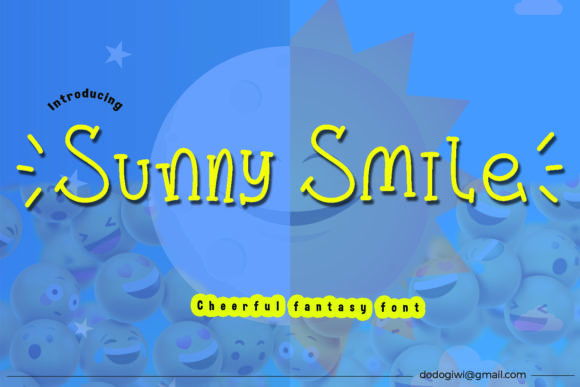
Sunny Smile: A Display Font That Turns Campaigns Into Smiles
Choosing the Right Font for a Product Launch Campaign
It was a Thursday morning, and I was deep into designing a product launch graphic for a wellness brand’s new line of organic teas. The goal was to convey warmth, playfulness, and approachability. I had a strong visual concept, but the typography felt flat. That’s when I reached for Sunny Smile — a display font I’d recently added to my toolkit. I wasn’t sure how it would hold up in a real campaign, but I was ready to test it in a live design scenario.
Sunny Smile immediately brought a sense of joy and authenticity to the layout. The font’s rounded edges and slightly uneven baseline gave it a hand-drawn, childlike charm that felt genuine rather than forced. It wasn’t just decorative — it added emotional texture to the message. The brand’s audience was primarily young moms and eco-conscious consumers, and Sunny Smile’s personality matched that vibe perfectly.
How Sunny Smile Performs Across Digital Formats
Once the main graphic was set, I moved on to variations — Instagram stories, Pinterest pins, and YouTube thumbnails. Each format required different sizing and contrast considerations. I was impressed with how well Sunny Smile held up in smaller spaces, especially on mobile previews. It’s definitely best suited for headlines and short callouts, not for long paragraphs or captions. But in display contexts — like on a thumbnail or a social media story header — it really shines.
One of the most important tests was readability. On dark backgrounds, the font’s bold weight stood out clearly, especially with a subtle drop shadow. On light backgrounds, the rounded shapes helped it pop without feeling harsh. I found that using it in 24px or larger ensured legibility across devices. Anything smaller than 18px started to lose clarity, especially when overlaid on complex images.
Pairing Sunny Smile With Supporting Typography
To balance the whimsy of Sunny Smile, I paired it with a clean sans serif for body copy and subheadings. This contrast helped establish visual hierarchy without clashing. For example, in a promotional email, I used Sunny Smile for the subject line and a modern sans like Montserrat for the body text. The result was a layout that felt both fun and functional.
For a more editorial feel — like a branded content series on Pinterest — I paired Sunny Smile with a soft serif font for secondary text. This gave the campaign a slightly more elevated tone while keeping the main message approachable. The font’s playful nature also made it a great candidate for logo-style text in branded templates, especially for lifestyle, children’s products, or creative workshops.
When Sunny Smile Works Best — And When It Doesn’t
Sunny Smile is ideal for short, high-impact text. It excels in:
- YouTube thumbnails
- Instagram story headers
- Pinterest pins
- Email subject lines
- Event banners and webinars
- Product teasers and limited-time offers
What it’s not ideal for is:
- Dense body copy
- Corporate reports or formal presentations
- Small UI elements like buttons or form labels
- Long paragraphs in landing page content
In a recent email campaign, I tried using Sunny Smile for a subheader that included pricing details. The font’s playful nature clashed with the seriousness of the message, so I swapped it out for a bolder sans serif. Context matters — and Sunny Smile works best when the message is lighthearted, energetic, or emotionally engaging.
Technical Notes and Design Workflow Considerations
From a design workflow perspective, Sunny Smile is a well-packaged font. It comes in multiple weights and includes ligatures and alternate characters, which is a nice touch for customizing headlines. I appreciated the multilingual support — especially since the campaign included international audiences. The file formats are standard (OTF, TTF, WOFF), so integration into design tools like Canva, Photoshop, and Figma was seamless.
Before using it in client work or branded template packs, I always double-check commercial licensing. Sunny Smile is royalty-free for commercial use, which makes it a solid choice for agencies, freelancers, and small business teams. Just make sure you’re downloading it from a trusted source to avoid licensing issues down the line.